
Meet Morty2
In a crowded market, at a metin stone, at the dungeon gate: we reworked every layer so the game stays smooth. Explore our systems and our numbers.
Foreword
For years we watched the same story. Servers that opened with big promises, lagged at the first crowd, froze in the market square and crashed in the middle of a guild war. Ready-made packages piled on top of each other, with nobody looking under the hood. Hours of effort lost to a single "connection lost" window.
That is why we are building Morty2: to give Metin2 the care it deserves. We went through every layer, from the graphics engine to the heart of the server. We measured every crowd, chased every hitch and dried up every crash at its source. You will find our numbers below; every one of them measured, none of them decoration.
To us, a good server is one the player never has to think about: you open your shop, break a stone, go to war, and the game just flows. Welcome to Morty2.
The Morty2 Team
Performance
Every number was measured on the same machine, in the same scene, back to back.
From DirectX 8 to DirectX 11
| Scene | DirectX 8 | DirectX 11 | Gain |
|---|---|---|---|
| Empty scene | 2.08 ms | 1.23 ms | 1.7× |
| 150 shops | 11.53 ms | 6.3 ms | 1.8× |
| 400 characters | 39.35 ms · 25 FPS | ~21 ms · 45 FPS | 1.9× |
Work time per frame (CPU + rendering), independent of the FPS cap. Release, 1600×1009, same machine.
DirectX 11 engine
The game runs on a single graphics engine, DirectX 11. In a 400-character scene animation moved to the graphics card: from 10.4 ms to 2.1 ms.
Every core works
Animation, particles and draw preparation are split across your CPU cores. 51 FPS with 1000 players; 300 premium shops went from 116 to 151 FPS.
64-bit client
The game, Python and the launcher are 64-bit. The 4 GB memory limit of 32-bit games is gone; the client does not run out of memory in crowds or long sessions.
A faster server too
1900 players in one spot: the server's slowest tick dropped from 78 ms to 25 ms, CPU usage from 77% to 38%.
Minimise without freezing
For players who open their shop and minimise: the minimised game keeps drawing 20 frames per second and keeps processing the network and characters at full speed. Restored after 30 minutes, the first frame arrives in 23 ms.
Market and Trade
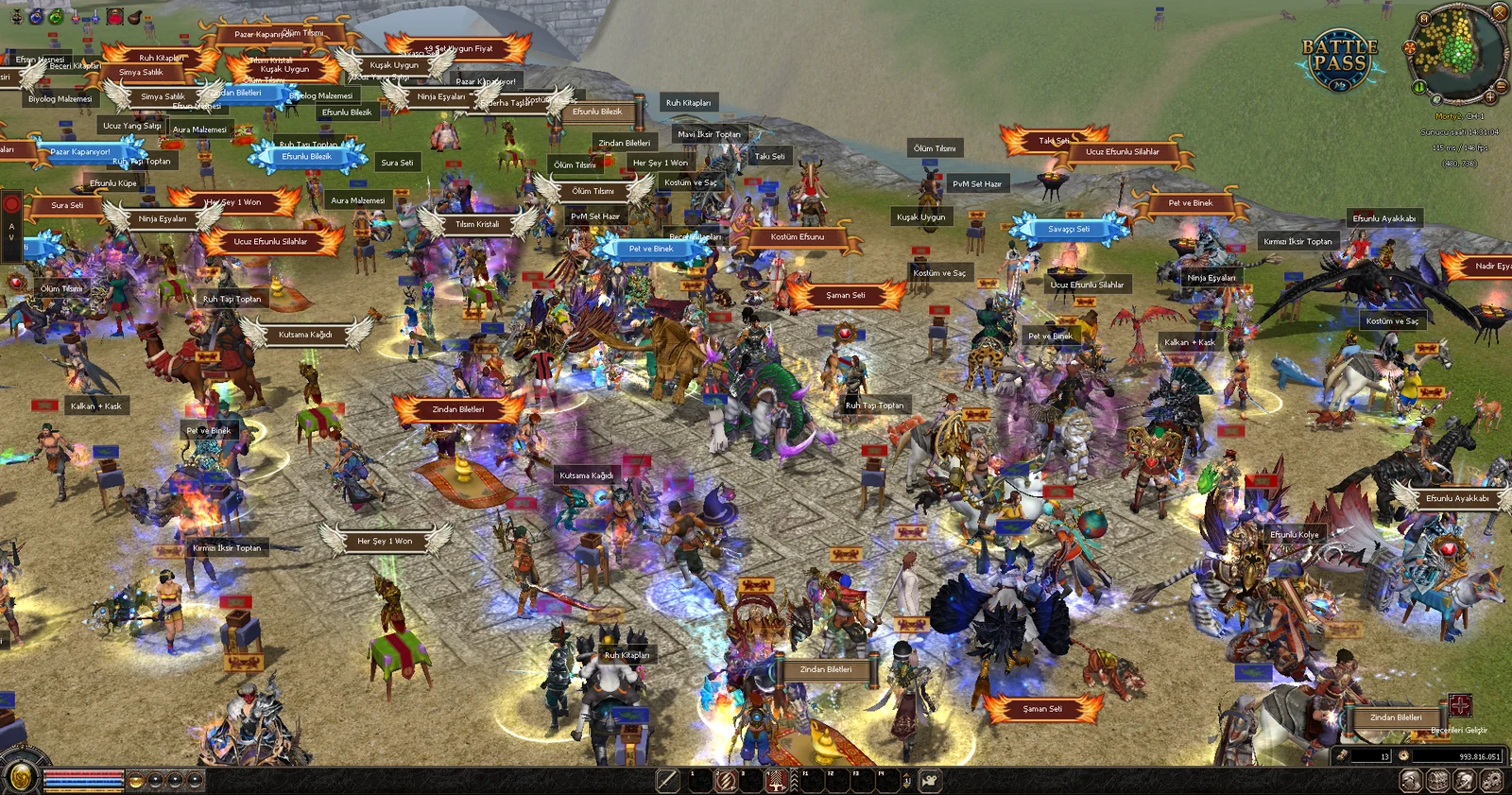
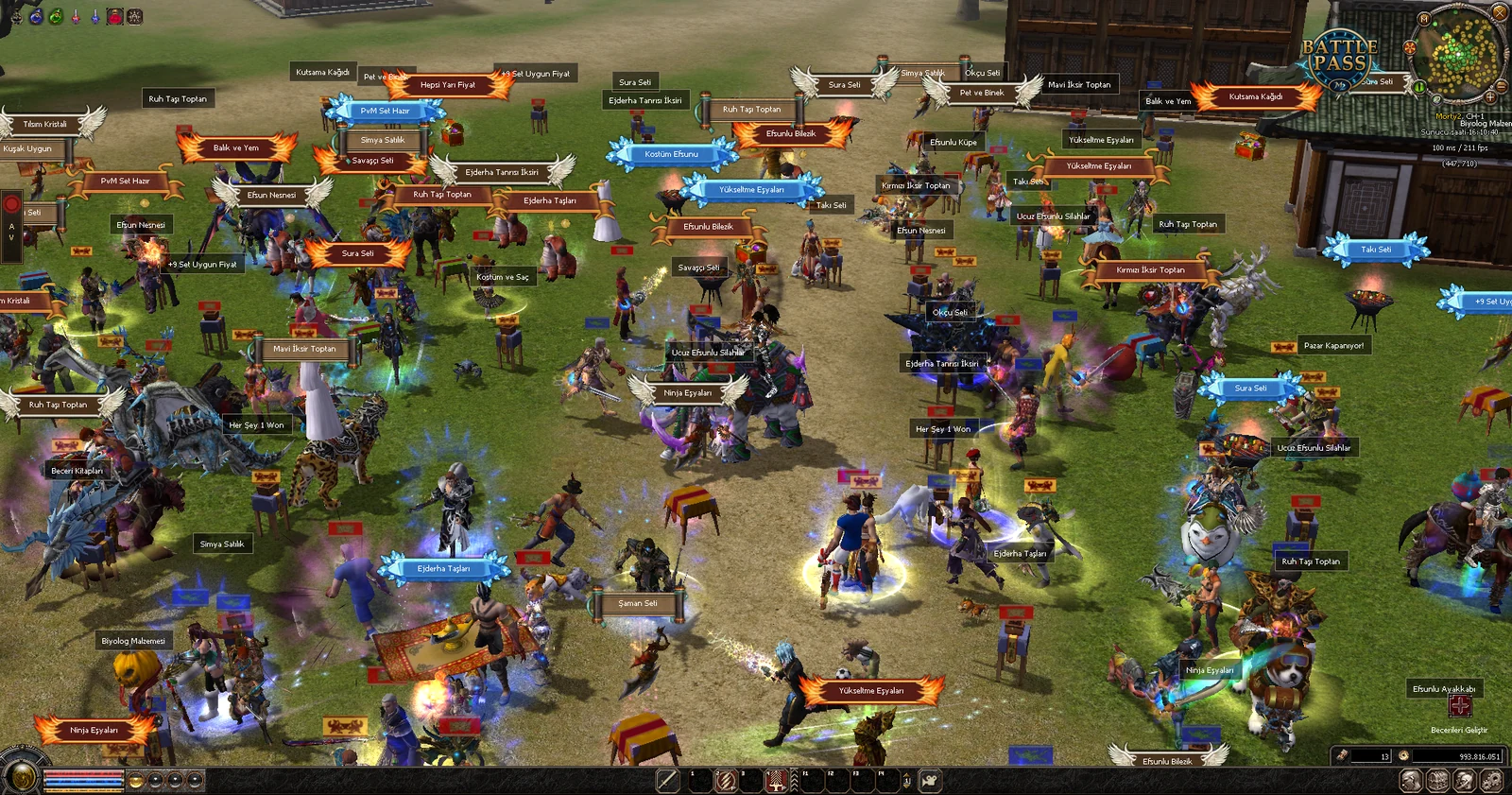
Smooth even in a square full of shop signs.
Crowded market
Hundreds of shops in the square and the game still runs without a hitch, every sign readable. Manage your shop from anywhere in the Trade Centre: add items, change prices, follow offers and auctions; your sales collect in your shop safe.
Shop Search
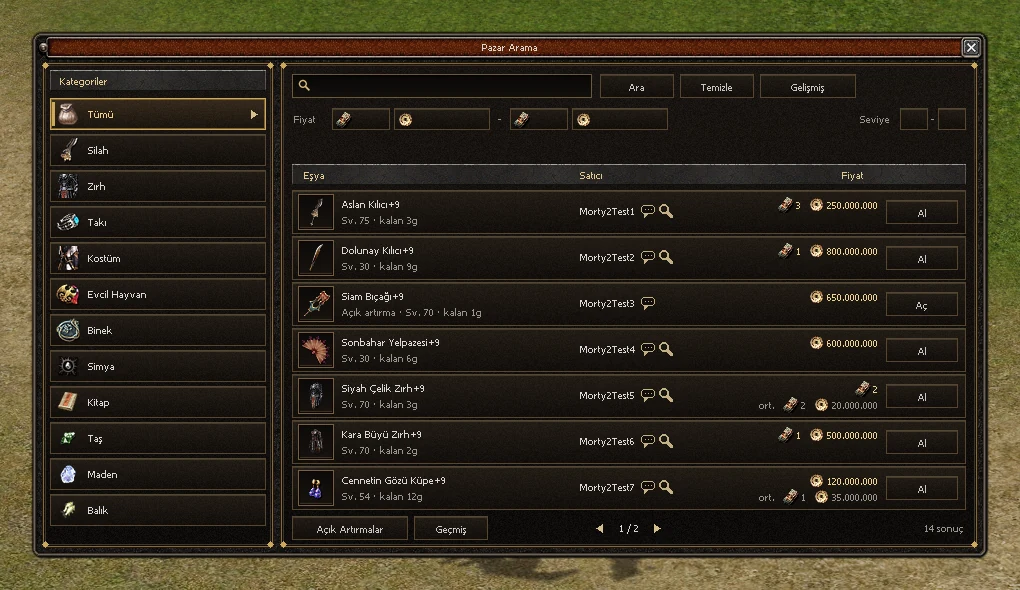
Every shop in a single search: filter by category, yang and won price, and level. Auctions have their own list with the average price alongside; message the seller or visit their shop with one click.
Hunting and Dungeons
Everything you need at the stone or the dungeon gate is one window away.
Auto Hunt
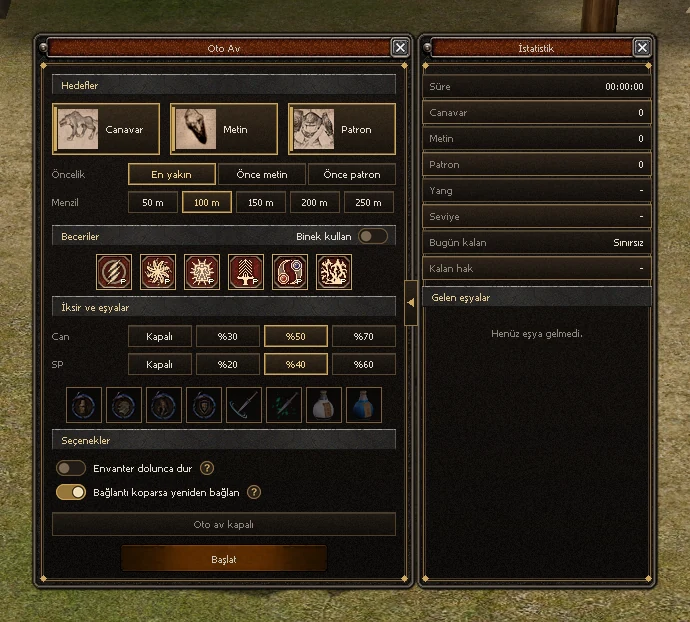
Toggle monsters, metin stones and bosses separately; pick the priority and a 50–250 m range. You set the skills and potion thresholds, and it can hunt on your mount. It never touches monsters or stones someone else is hitting; it stops when your inventory is full and reconnects if the connection drops. The side window shows time, kills and loot.
Hunt Journal
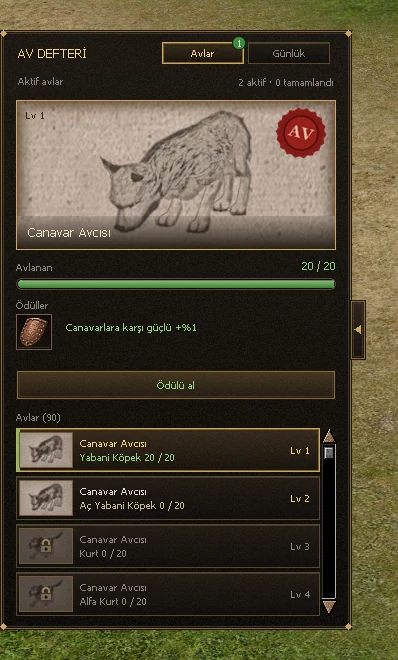
Permanent hunts unlock in order: fill the target and the next hunt begins, later ones wait locked. Daily hunts refresh every day. Items, permanent bonuses, experience or yang; claim a finished hunt with one click.
Biologist from anywhere
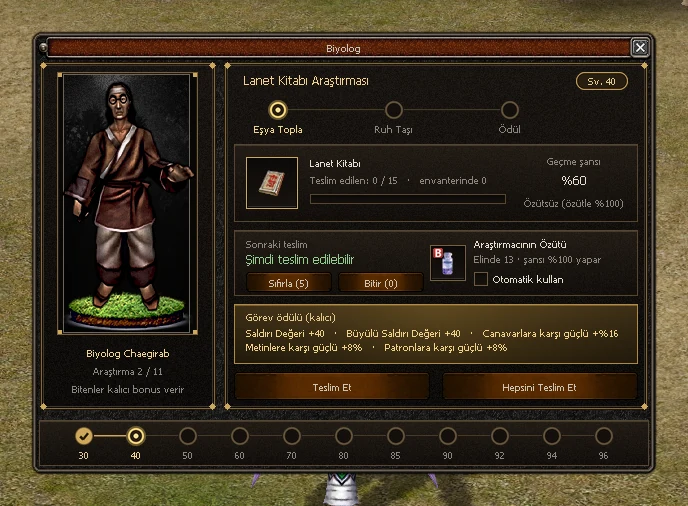
The Biologist window opens anywhere: hand in research items wherever you are. Hand In All skips the waiting time, and the Researcher's Elixir can be used automatically. The quest chain and permanent rewards on one screen.
Dungeons
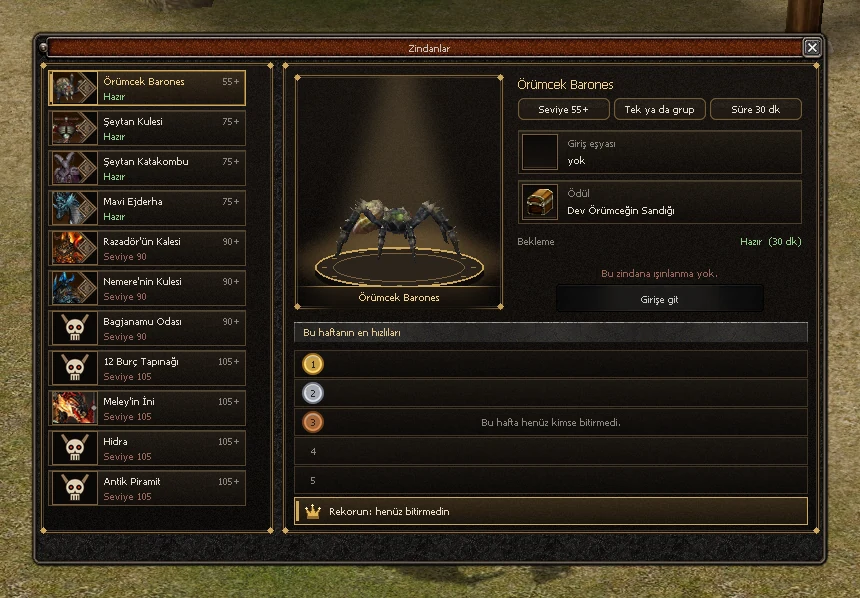
Every dungeon in one list: entry level, solo or group, time limit, cooldown, entry item and reward chest. Go to Entrance teleports you to the gate; the week's fastest teams are listed.
Character Progress
A dedicated tool for every step, from bonuses to alchemy.
Talisman Window
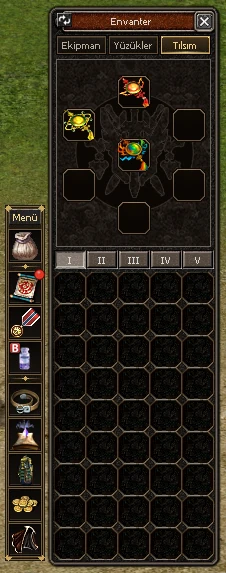
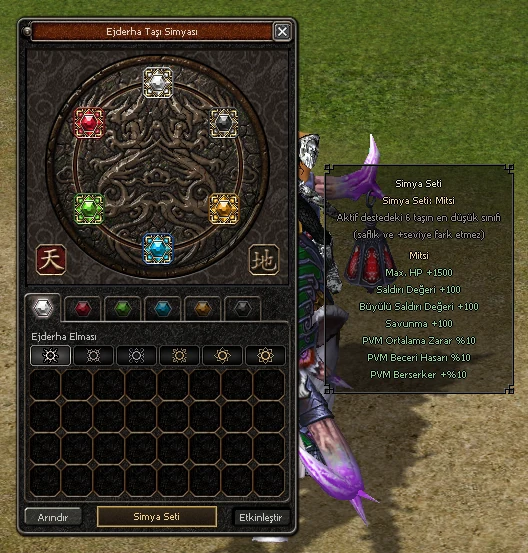
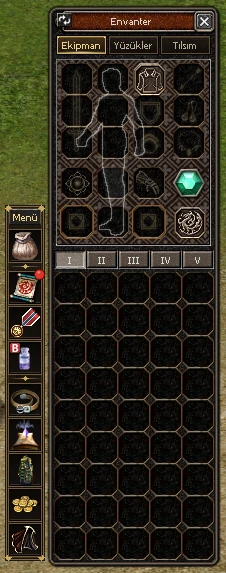
Wear six elemental talismans together, plus a separate centre slot. Switch between Equipment, Rings and Talismans with the tabs above your inventory.
Alchemy and set bonus
When all six dragon stones are equipped and active, the Alchemy Set unlocks; its strength depends on the class of your lowest stone. The Mythic set grants Max HP +1500, attack, magic attack and defence +100, plus three PvM bonuses.
Levelling pet
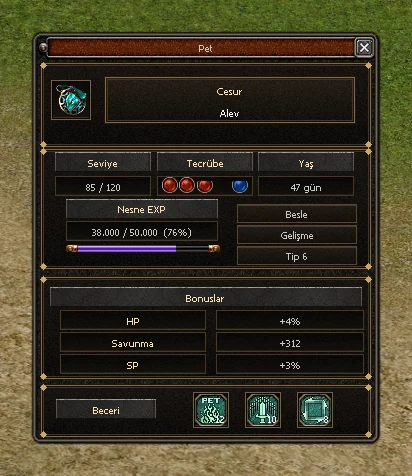
Your pet gains experience with you and grows up to level 120, granting HP, defence and SP bonuses. Evolve it at level 81 and all three skill slots open at once.
Bonus Bot
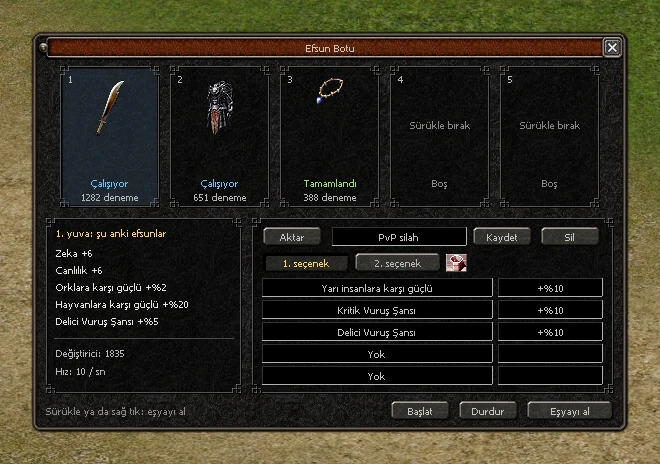
Set target bonuses for up to five items with two alternatives; the bot stops when a target is reached. Your targets are saved for next time.
Character details
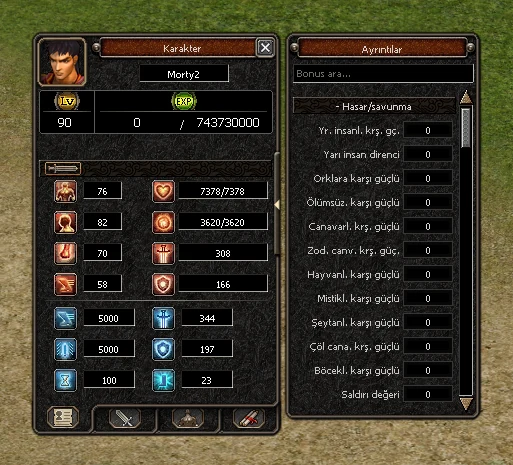
All your bonuses in one grouped list. Type in the search box and find any value instantly.
Quick Equipment
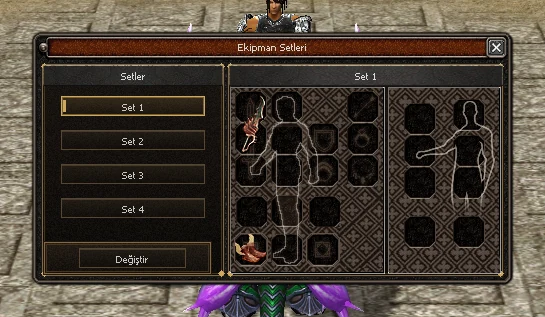
Save four equipment sets and switch from PvM to PvP with one click.
Convenience
No more fighting with your inventory, storage or junk items.
5-page inventory and Quick Menu
A 225-slot inventory. The menu beside it takes you to Shop Search, Battle Pass, Rankings, Bonus Bot, Quick Equipment and Bulk Sell/Delete in one click.
3-page storage for everyone
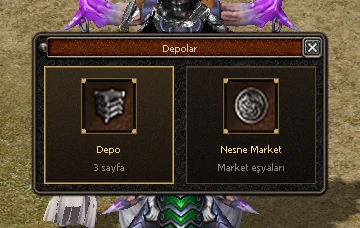
Storage is free and has 3 pages for everyone. Open it anywhere with the inventory button; the Item Shop storage is right next to it.
Auto Sell/Delete
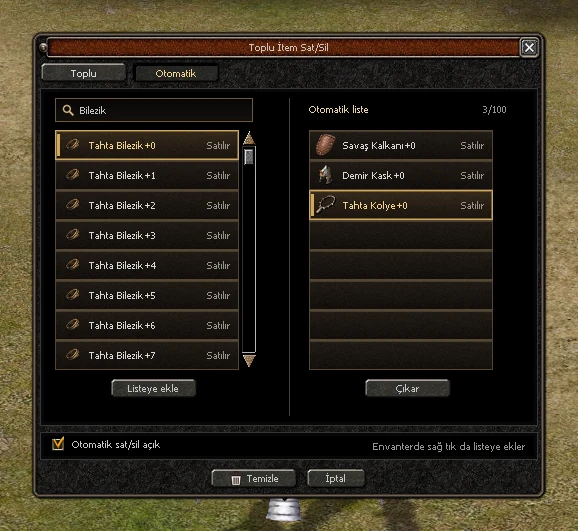
Add unwanted items to the list: they are sold or deleted automatically when you pick them up or open a chest. A 100-item list, toggled with one click.
Rewards and Competition
A goal every day, a ranking every week.
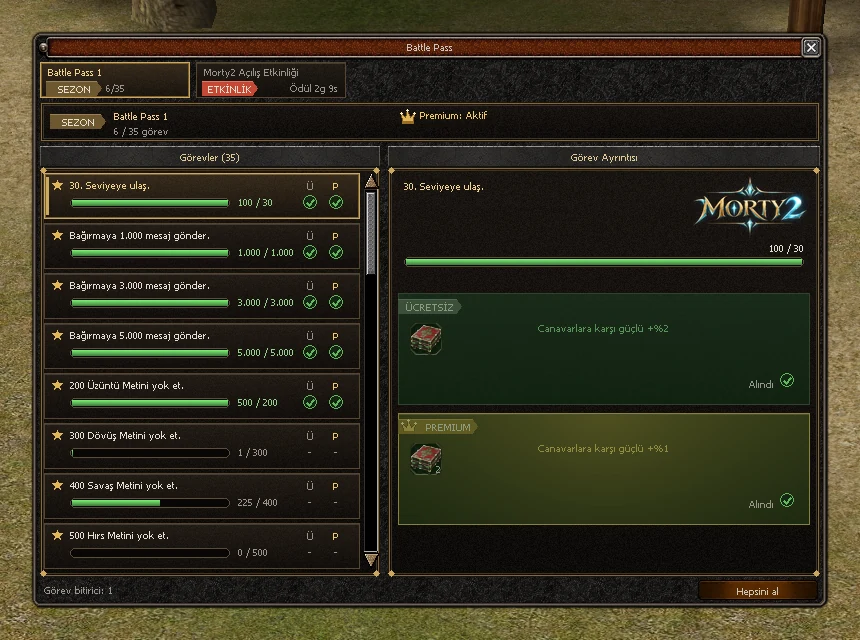
Battle Pass
Season and event passes side by side. Every mission has a separate free and premium reward; progress updates instantly and finished rewards are claimed with one click.
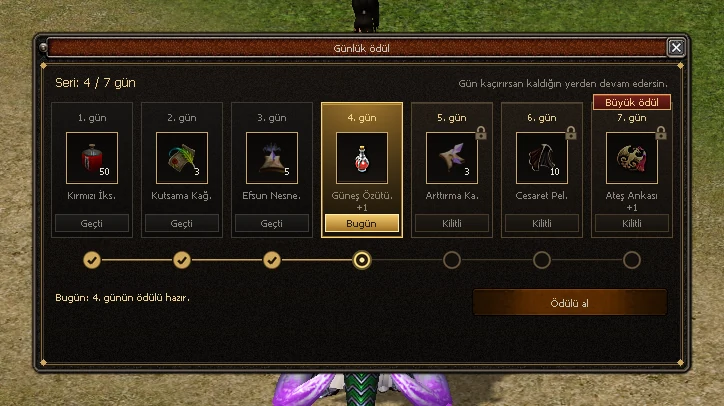
Daily Reward
Log in every day and collect the seven-day reward chain. Miss a day and the chain does not reset; you continue where you left off.
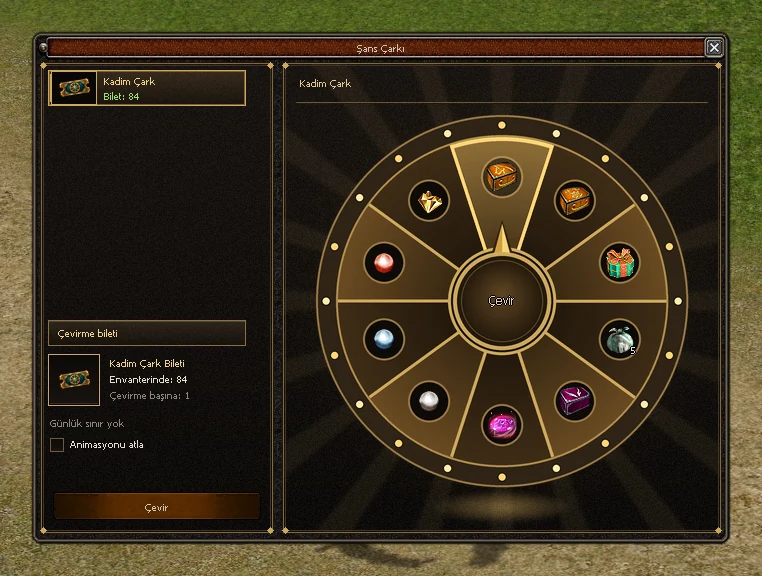
Wheel of Fortune
Bring your ticket and spin. Every wheel has its own rewards; with Skip Animation the reward lands in your inventory instantly.
Elder Spirit Wheel
Spin the Elder Wheel and, if luck is on your side, the scene changes: a warrior appears, strikes the ground with his sword and the red Elder Spirit Wheel falls from the sky. This special wheel spins weapons and rare rewards; whatever you win is announced to the server.
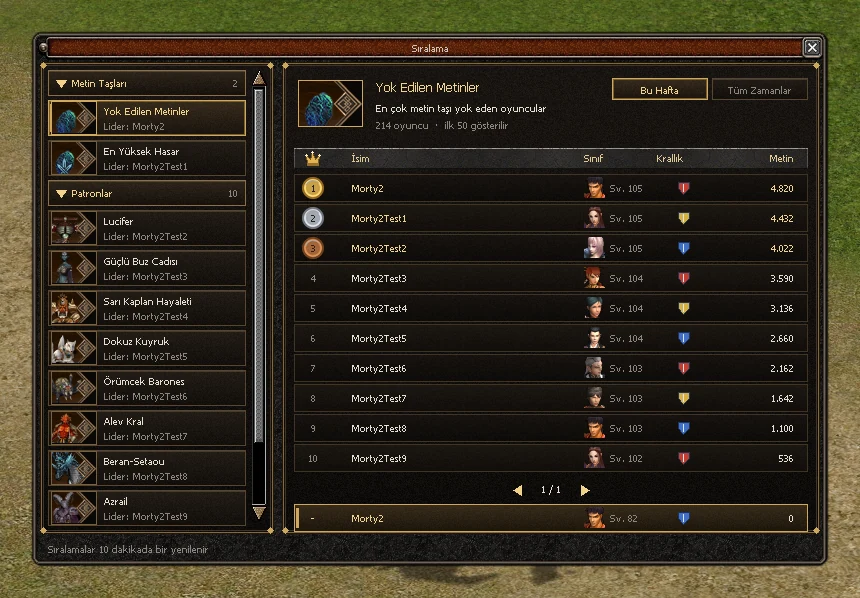
Rankings
Most metin stones destroyed, highest single-hit damage and a separate list for every boss. Weekly and all-time; refreshed every ten minutes.
Trust and Support
There is a solid infrastructure behind the game.
Automatic error reports
FPS drops, hitches, freezes and crashes are reported to us without you doing anything: which map, which scene, which moment. We see the problem and fix it right away; the fix arrives automatically with the next update.
In-game support
Report a Problem in the ESC menu sends the moment to the team together with the last seconds of frame times and your position; follow it with your report number.
Signed updates
The launcher only installs updates with a verified signature and checks the game files at every start.
Protected connection
Login details travel encrypted; the gate in front of the server stops attack traffic before it reaches the game.
Frequently Asked Questions
Is the game really smooth in crowds?
We measured 143 FPS with 300 shops and 150 players on one screen. On the server, the slowest tick with 1900 players in one spot is 25 ms. Guild wars, crowded markets, boss fights: the game does not stutter.
What happens if the game crashes or stutters?
Crashes, freezes, hitches and FPS drops are reported to us automatically; we see what happened and where, and fix it. The fix arrives through the launcher, you do not need to download anything.
What protects against cheats and bots?
The launcher recognises foreign programs and modified files in the game folder; the game will not start with them. On the server, movement speed and attack intervals are checked.
Does the game freeze when minimised?
No. A minimised game keeps running in the background; even hours later it continues right where you left off.
Do I need extra programs for auto hunt or the bonus bot?
No. Both are built into the game; open the window and set them up. No outside bot program needed.
What do I need to run the game?
64-bit Windows and a graphics card with at least DirectX 10 support; every card released after 2008 is enough. On a weaker machine you can lower shadows and view distance in the settings.
See you in the square
Create your account, download the launcher, enter the game.